Special thanks to Customer Magnetism for this well thought out and visual infographic describing what infographics really are and why they are important. Continue reading

Special thanks to Customer Magnetism for this well thought out and visual infographic describing what infographics really are and why they are important. Continue reading

Just in case what we do in class isn’t enough, here are some options for additional practice and improvement direct from the crew at WordPress. Even better…it’s free.

Whenever you have a high contrast area, it’s easy to end up with chromatic aberration in a photo. This often results in a purple or green fringe along the edges of some objects in the photo. When merging HDR photos, this problem can become event worse. In this tutorial, I’ll show you how to fix the problem in both Photomatix Pro and then use Adobe Camera Raw to clean up spots.
In this excerpt from my new lynda.com class Up and Running with Photomatix Pro, you’ll learn how to quickly get results. Remember, you can pull down a fully functional demo version of Photomatix Pro as well.
This Post Sponsored by:
LensRentals.com Be a kid in a camera store. Rent lenses, cameras, lighting and more from the original and best online photographic and video equipment rental company. Use PHOTOFOCUS15 in the checkout special instructions to receive 15% off any May rental
View original post 178 more words
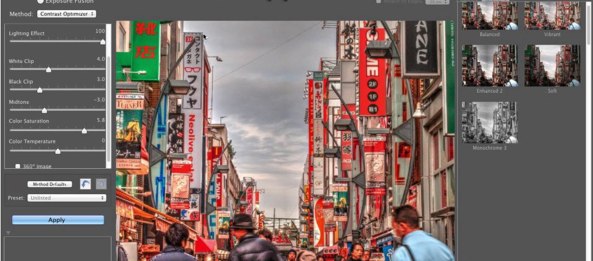
As you work with HDR processing, it’s not uncommon to have an area of the image that frustrates you. Perhaps it’s an over-processed sky that’s just too dramatic. Or maybe its an area of high motion. Fortunately, Photomatix Pro has an advanced option that makes it easy to replace a selection with the original source image.
You can learn more about Photomatix in our HDR Learning Center as well as in this lynda.com class of mine.
______
This Post Sponsored by:
LensRentals.com Be a kid in a camera store. Rent lenses, cameras, lighting and more from the original and best online photographic and video equipment rental company. Use PHOTOFOCUS15 in the checkout special instructions to receive 15% off any April rental.
Mosaic A complete solution for photographers using Lightroom who want to manage and share their photos. You can easily view images with their iOS app or web service…
View original post 157 more words
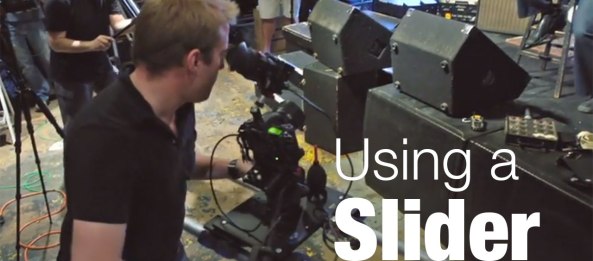
I’m always on the lookout for ways to get better looking video shots. Each week, I release a show called DSLR Video Tips on lynda.com. The episode is free for one week (you don’t even have to be a member, that’s how nice they are). The show is co-hosted by friend and long-time collaborator Robbie Carman.
Here’s two recent video we did all about sliders. A slider can help you put a camera into motion to capture interesting shots with fluid movement. Check out Robbie and DP Kevin Bradley.
Performing camera moves add visual interest to a scene, but how do you make them smooth? Using a slider. In this tutorial, explore what camera sliders are and how they work; take a look at different slider options, from small, portable units to large sliders; and learn about remote-controlled motorized sliders.
Find out…
View original post 328 more words
 6 Overlooked Website Elements That Slow Down your Blog (via BloggingPro)
Load time and responsiveness are very important factors to consider when building a blog design to deliver content and services to the public. Think of your blog as delivering a service and if your site takes a long time to load its no better than going…

Chances are that if you’re running a public facing blog, you’re probably happiest when someone actually reads it. Preferably lots of someones. Your blog’s stats can give you some great ways to get to know a little bit more about your readers, and what it is about your work that most attracts them.
While the more liberal artsy types among us might shoo off the idea of obsessively stat trawling as something for the more scientifically inclined, there’s actually something for everyone lurking just beneath the surface, whether that’s inspiration or cold, hard logic. If you want people to read your blog, making use of your stats can give you an arsenal of information to help make that happen. In our Stats Wrangling series, we’ll be digging in to how to get to grips with your blog stats, one module at a time. But in today’s post, we’ll start with…
View original post 1,088 more words
 Image
Image
 6 Tips for Writing an Effective Sales Landing Page (via The Blog Herald)
Whether you’re selling the next big thing or launching a business for the first time, an effective sales landing page can be the difference between stagnation and success. A well-crafted sales landing page explains your product or service in detail…
Personal Website How-To By William Scott Grey
Have you built your own website? Did you go a step beyond the typical WordPress copy job? Do you want some place to display it besides your own computer?
Do you want your website to go live on the internet?
Here’s a how-to on getting free server space for your website from the internet if you’re an ASU student.
If you are an ASU student you should have been given access to MyASU the online portal for ASU students.
Open the following PDF and follow the steps. Good Luck.


 E-dreamconsulting