
Once you have selected, created and published your slider to a local folder you are ready to insert it into Dreamweaver. Continue reading
Category Creating Media Tips and Tricks
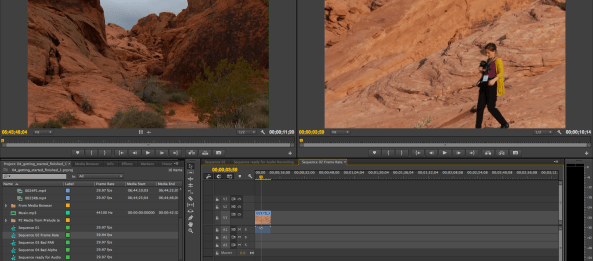
Premiere Pro Tutorials
There are a multitude of tutorials available for Premiere Pro on the web. One quick recommendation would the those created by the Knight Digital Media Center at UC Berkeley.
They are quick and easy to understand. Some of the most crucial ones are found below. While they are for Premiere CS6, they work for Premiere CC.
Copying camera filesImporting
Editing clips with In and Out points
PR How to use editing tools in the Source Monitor
PR How to trim clips in the Timeline panel
PR How to edit in the Program Monitor
PR How to trim clips in the Timeline panel
PR How to create TV news-style edits
PR How to apply and adjust video effects
iDVD Down and Dirty
There are dozens of tutorials available on creating DVD’s. In this case quick is a good thing. You don’t have to be a genius. Just use the templates. You can get creative later. Continue reading
Chroma Key Colors
Applying quality Chroma Key effects begins with selecting the color and tone of your background. Color is followed closely in importance by lighting the background and the subject separately. Buying specially formulated paint is expensive when your local paint store can often supply a quality option. Continue reading
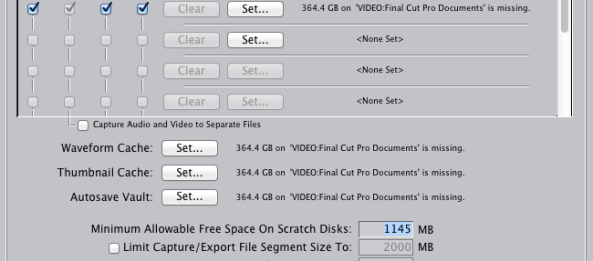
Setting Scratch Disks in FCP
Whenever you encounter problems or have questions in Final Cut Pro it is always a good idea to search the help files first. They generally are well written and provide much of the necessary help immediately. Such is the case with setting the scratch disks either when FCP is first opened, if they are “misplaced”, or if you want to specify a destination such as an external firewire drive for your project content. Continue reading
Quicktime HD Conversion to WMV
Quicktime HD conversion to WMV 16×9 High Res.
Occasionally you may have the need to convert QuickTime movies to WMV. Ordinarily that is somewhat problematic. Flip4Mac StudioHD has a complete plugin for Final Cut Pro that will do that directly from your timeline. You simply select Export Using QuickTime Conversion the select WMV and in the options section select the required WMV 16×9 formatting.
So what’s the catch? It costs $179.00 and is a software download. That’s it. Good luck.

Shooting iPad Video
I am often asked, “What is the best camera for photos and video?” It is the one you have with you. For many of us it is a mobile device such as the iPad or mobile phone. Continue reading
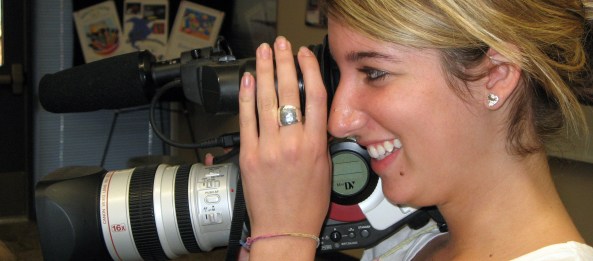
Digital Photography Tips
Digital photography is changing the way we take photos. It has made us more productive, creative and sloppy all at the same time.
We can shoot thousands of pictures without needing to pay for developing just to see if we “got a good one.” This underscores the idea that the difference between a recreational photographer and a good photographer is the unseen pictures. Continue reading
Importing video from a camera to your iPad.
OK. So you’ve got a new iPad. You want to create a video using your iMovie app but you prefer to use your video camera not an iPad camera app. This article obtained from apple online support provides some useful information about the iPad camera connection kit.
Post courtesy of Apple.com Original post. Continue reading

Get Visual
When we talk about blogs we generally start with words, then add pictures, sound and sometimes video. Generally we forget about visualizing data. Continue reading
 E-dreamconsulting