














Here are a few curriculum links. Generally, these links lead you to more specific technical skills, tutorials and online resources. Continue reading
Newsroom 101 Grammar
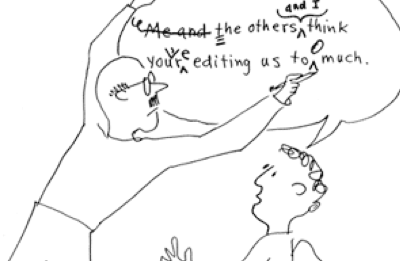
These free, self-instructional exercises address issues of grammar, usage and AP style that students may encounter in newswriting. The Newsroom 101 site creators developed over 2,000 interactive lessons for journalists, professional writers, college students, high-school students and others who are learning or reviewing journalistic language. Continue reading
Chroma Key Colors
Applying quality Chroma Key effects begins with selecting the color and tone of your background. Color is followed closely in importance by lighting the background and the subject separately. Buying specially formulated paint is expensive when your local paint store can often supply a quality option. Continue reading
Setting Scratch Disks in FCP
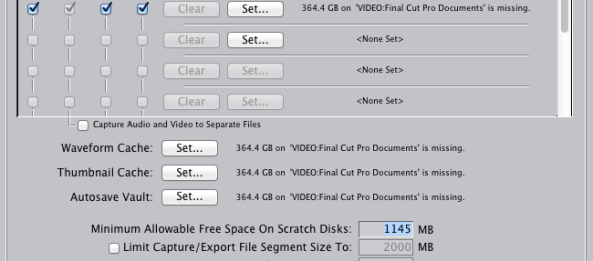
Whenever you encounter problems or have questions in Final Cut Pro it is always a good idea to search the help files first. They generally are well written and provide much of the necessary help immediately. Such is the case with setting the scratch disks either when FCP is first opened, if they are “misplaced”, or if you want to specify a destination such as an external firewire drive for your project content. Continue reading
Quicktime HD Conversion to WMV
Quicktime HD conversion to WMV 16×9 High Res.
Occasionally you may have the need to convert QuickTime movies to WMV. Ordinarily that is somewhat problematic. Flip4Mac StudioHD has a complete plugin for Final Cut Pro that will do that directly from your timeline. You simply select Export Using QuickTime Conversion the select WMV and in the options section select the required WMV 16×9 formatting.
So what’s the catch? It costs $179.00 and is a software download. That’s it. Good luck.
Technology Outlook > Singaporean K-12 Education | The New Media Consortium
See on Scoop.it – Singapore Education [News]

The Technology Outlook for Singaporean K-12 Education 2012-2017 presents the findings of a research project led by the New Media Consortium (NMC) and intended to inform educational leaders about significant developments in technologies supporting teaching, learning, and creative inquiry in Singaporean K-12 education.
See on www.nmc.org
7 Deadly Sins Inhibiting Creativity
Shooting iPad Video
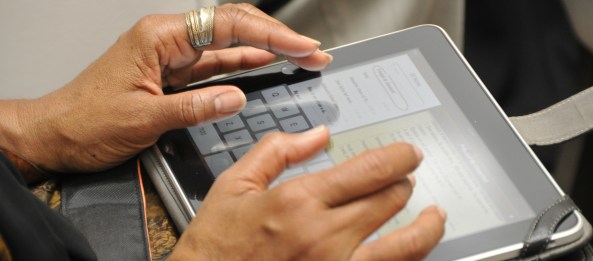
I am often asked, “What is the best camera for photos and video?” It is the one you have with you. For many of us it is a mobile device such as the iPad or mobile phone. Continue reading
Searching the Web
My father swore he would never use his mobile phone to search the web or text. Just the other day he admitted however that he now uses his phone more for data access (searching and texting) than for phone calls.
The problem is when he is watching a TV show and he sees something he immediately wants to look up he will sometimes get 100,000+ options. Which one is the right one?
It is helpful to know how and where to search. The following PowerPoint presentation courtesy of Dr. Serena Carpenter is helpful.
Copyright Resources
So what now?
Included in this post are helpful Copyright resources provided by Dr. Serena Carpenter.
Public Domain Resources
Some organizations offer content classified as public domain, which means property rights are held by the public:
- Smithsonian Institution Public Domain Images
- New York Times Public Domain Images
- Wikipedia Public Domain Resources
- NASA (guidelines)
Stock Image Resources
Students can also use stock photos for free or for a price. Here is a list of sites that offer free stock photos:
- A Collection of 30+ Free Stock Photo Sites aggregated by Sitepoint
- EveryStockPhoto
- StockVault
- School Photo Project
Creative Commons
People have access to creative commons content because authors/creators give permission through Creative Commons licenses. Authors can choose from a variety of licensing options. A person must read the author’s restrictions related to the use of their content before posting the author’s content. Authors often times allow people to use their work as a way of promoting themselves, and thus, they want credit for their work. Creative Commons (CC) “is a nonprofit organization dedicated to making it easier to share and build upon the works of others consistent with copyright. We provide free licenses to enable sharing,” according to Vice Chair of Creative Commons Esther Wojcicki.
This screencast shows you how to navigate creative common search engines. Here are some sites that host or grant access to free creative commons content and other sites:
- Creative Commons search engine
- Wylio search engine (photos)
- Compfight (flickr photos)
- Yahoo Creative Commons search engine
- Flickr Creative Commons (photos)
- Picasa Creative Commons search engine (photo)
- PD Photo (some public domain)
- Jamendo Creative Commons (audio)
- SoundTransit (audio)
- Incompetech (royalty-free audio)
- Mashable’s Free Legal Music List (audi0)
- Adam Westbrook’s Free or Cheap Music List (audio)
- Blip.tv Creative Commons (video)
- Vimeo Creative Commons (video)
Licensing Your Site
Students can copyright their blog or site as well, however it is costly. Law student Ruth Carter said at a PodCamp AZ conference that it costs $65 every three months to copyright a blog. You do not have to register your site/content to receive copyright protection, however @rbcarter said the advantage is you are able to sue for more money if someone steals your stuff. If someone steals your content, you can also sue for statutory damages ($200 – $150,000 per infringement) and attorneys fees, not just real damage.
 E-dreamconsulting