
Are you taking advantage of all LinkedIn’s content marketing features? Discover how to maximize your LinkedIn content exposure.
Sourced through Scoop.it from: www.socialmediaexaminer.com
See on Scoop.it – Multimedia tools and tips

 Mobile Journalism Resources
 Tips for Live Shots
 Guidelines for Effective Videos
 Social Media Image Sizes
 The Essentials of Three-point Lighting
 What is an Infographic
 Premiere Pro Tutorials
 Working with Adobe Audition
 Digital Photography Tips
 Capturing Great Audio
 Get Visual
 Cracking the Code
 Short News Package Planning
 Photoshop Ethics
 Photo Elements
 When and Why to Use Twitter
 Who Are You Anyway
 Video Tips and Tricks
Are you taking advantage of all LinkedIn’s content marketing features? Discover how to maximize your LinkedIn content exposure.
Sourced through Scoop.it from: www.socialmediaexaminer.com
See on Scoop.it – Multimedia tools and tips
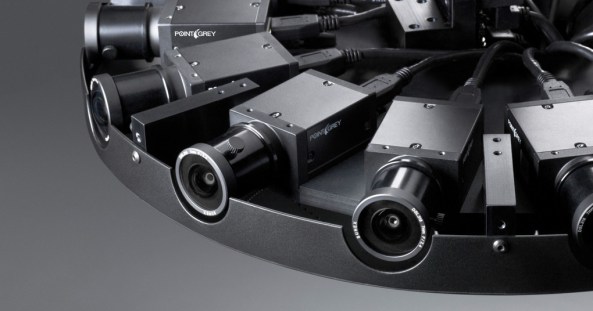
Facebook has built its own 360-degree video camera, and this summer, it will give away both the hardware designs and software for free.
Sourced through Scoop.it from: www.wired.com
See on Scoop.it – Multimedia tools and tips
Storytelling using Storify may seem a difficult at first but this tutorial by Marie Ennis O’Connor makes things less daunting. https://hcsmmonitor.com/2017/03/31/a-step-by-step-guide-to-digital-storytelling-with-storify/
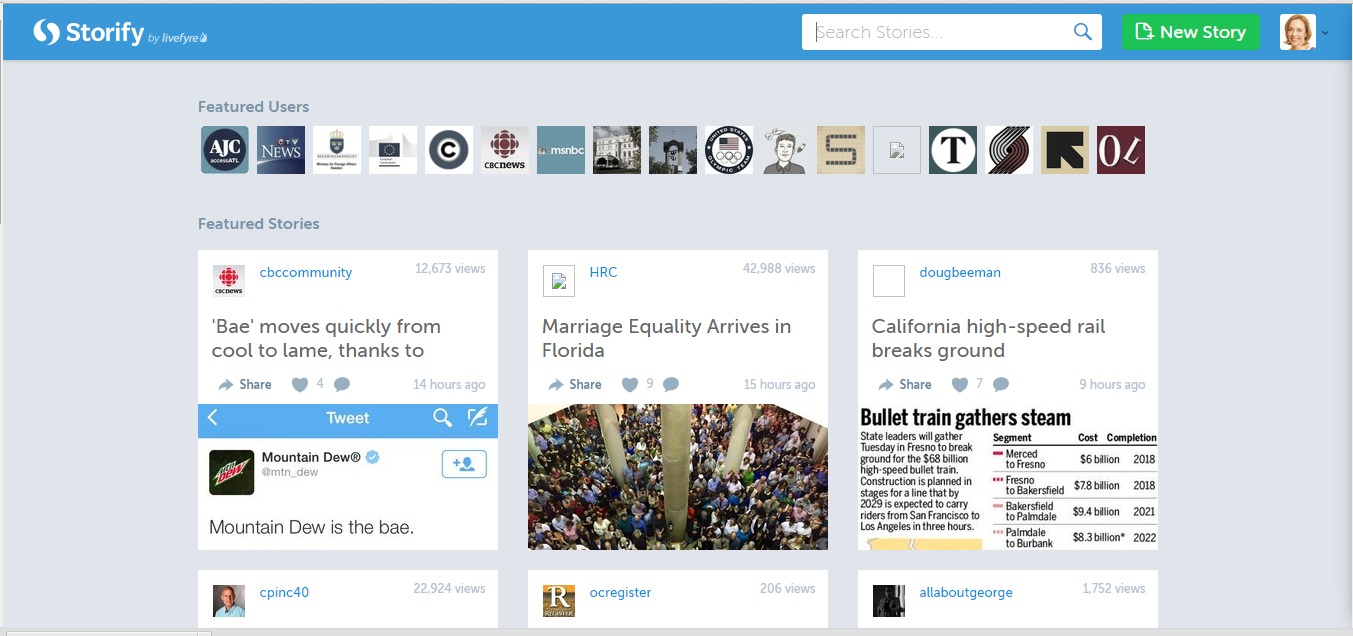
Storify is a platform that allows you to tell stories using elements from the social web such as tweets, Flickr photos and YouTube videos. There are so many ways to use the Storify app; one of my favourite ways is to capture tweets from a live event and turn them into a visually compelling story.
If you are new to the Storify app, follow my easy step-by-step guide to help you create your first story.
1. Log-in using Twitter or Facebook.

2. Click on Create New Story which will open a blank platform for you to create your story
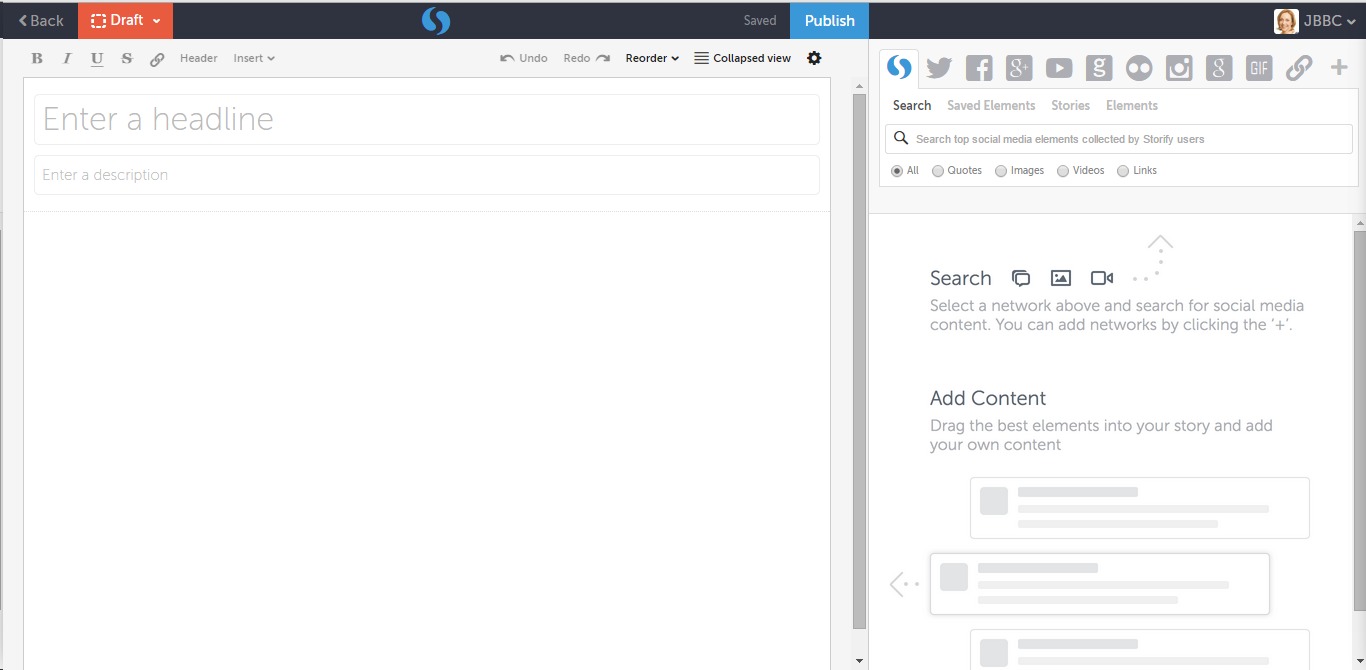
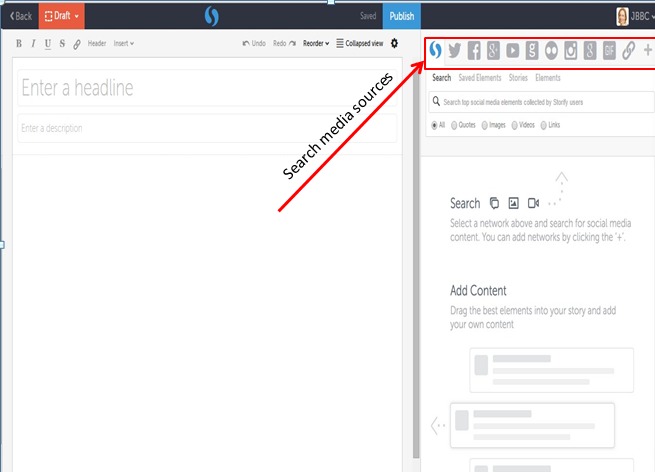
3. On the top right hand corner you will find media sources to curate the elements of your story. You can search Twitter, Facebook, YouTube, Flickr, and Google for elements to include.
4. Start by adding a headline for your story and a brief description so people will know what your story is about.
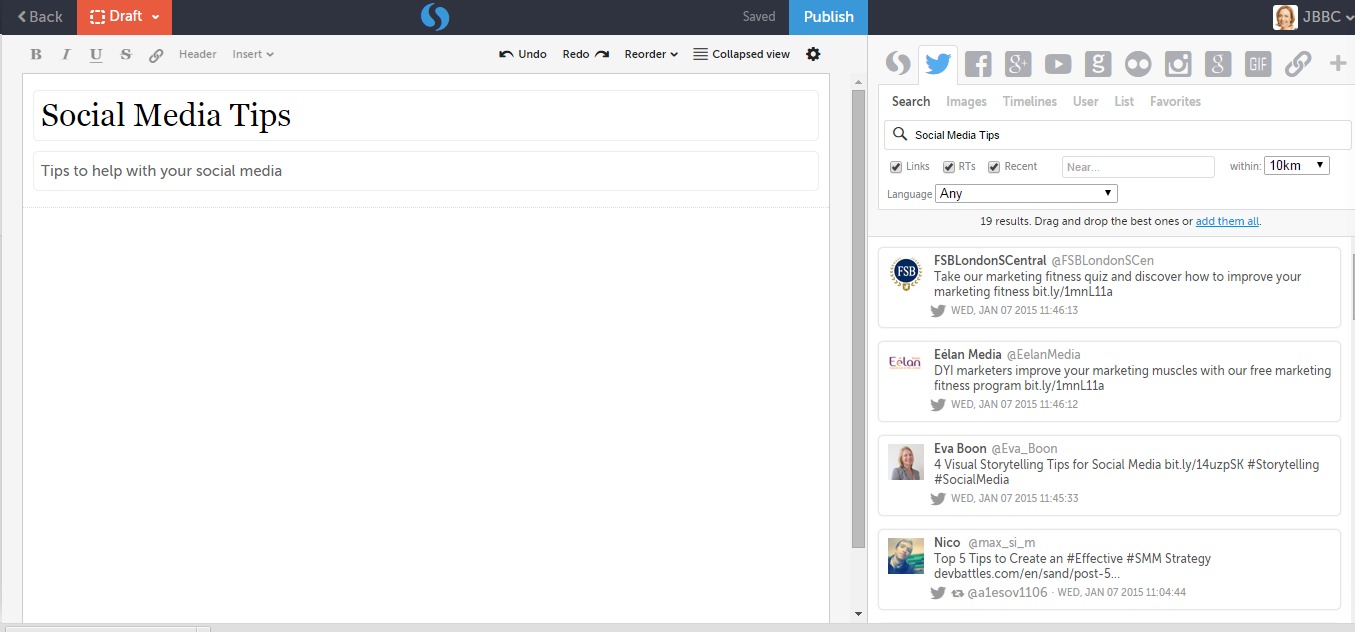
5. You can search…
View original post 230 more words


Learning by making: Experiments in virtual reality from Hackastory
What lessons can journalists learn from the use of virtual reality in gaming and filmmaking? The fourth edition of a storytelling hackathon called Hackastory brought together 20 coders, designers, journalists and writers in Breda, the Netherlands, at the end of October. They used nine Google Cardboard devices, six Oculus Rifts, and their imagination to tackle the issue. ….[READ]

I recently received an email from Emil Pakarlis that reminded me of attitudes, questions and bias I see on a daily basis about capturing content with a mobile device.
While there is no question that there are more things you can do with “pro line” cameras, it doesn’t mean the “device you have with you” isn’t worthy of consideration. This preconceived notion tends to color our judgement.
Consider Emil’s thoughts on the subject.

The best camera is “the one you have with you.”
The one thing that holds back 98% of people taking photos with the iPhone has nothing to do with talent, experience or megapixels. And it’s affects new photographers as well as seasoned professionals coming from traditional photography.
When most people pick up a DSLR or dedicated video camera, they generally treat it seriously. They spend a few seconds composing the shot. They walk around to find the best angle. They make sure that their subject is well exposed and in focus. That may take a few seconds, but it’s time well spent.
Most iPhone users however casually capture the first thing they see without even thinking about composition, angle and exposure, because they think the iPhone is only good for taking quick snapshots.
And guess what? They never get anything other than quick snapshots out of their iPhone’s camera.
Fortunately, there’s another group of iPhone owners, albeit a smaller one, who recognize that the iPhone is a powerful camera so they give each shot the attention it deserves.
The iPhone is their preferred camera and it’s often the only camera they use. They think about subject, composition, focus and exposure before they press the shutter.
These people constantly capture amazing images with the iPhone.
Of course, attitude is not the only thing that makes a difference in iPhoneography but without the right attitude, you’ll never move past the snapshot mentality.

Digital Publishing Suite
In early 2010, software giants Adobe worked with Wired magazine in New York and San Francisco and developed a brand new and highly innovative digital publishing system, Adobe Digital Publishing Suite, for publishers to create and publish interactive versions of their magazines for the newly-launched iPad.
Adobe’s aim was to create a system where magazine teams could work with an updated version of InDesign – the leading layout design software – and manipulate their existing magazine layouts, to publish an interactive touchscreen version of the print magazine, all without requiring to know a line of code.
The two teams collaborated over several months to create a workflow concept, and a number of ‘plug-ins’ for InDesign, and these appeared as an update to the design tool, in the form of interactive panels. The designer could manipulate elements on the layout (eg: text boxes, colour panels, image frames, icons)…
View original post 805 more words

You don’t have to pay for ads to boost your social profile, but you will have to work that much harder to attain it. Are you willing to put in the effort?
Source: How to Increase Your Social Profile Without Paying for Ads

We’ve hand picked and put together 15 WordPress slider themes that come loaded with stunning sliders that make the designs look more fresh and modern.
Source: 15 Amazing WordPress Slider Themes – Vandelay Design


 E-dreamconsulting